
Find the pieces. Plan the parcel.
Niuniubox Spreadsheet.
Your next haul starts here.
Find a product, check the details, then plan its trip from a seller to your door. Niuniubox is now Pikobuy — this independent guide helps you through both names.
Type what you are looking for, in English. Results are product cards you can hand to the agent.
Build your shortlist
Browse by category
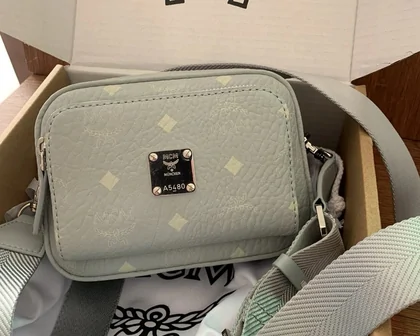
Start with a category, then confirm the seller, size and current price on the listing. Photos show examples, not a stock guarantee.















The listing and the agent
Two different jobs in one shopping journey
What is the Niuniubox Spreadsheet?
A searchable collection of product links, organised by category. It helps you build a shortlist without starting from an unfamiliar marketplace. The seller's listing remains the place to check size, material, price and availability.
Why use this Spreadsheet?
Move from a broad category to a specific item, then use the listing, seller and QC guides to decide what is worth ordering. Parcel and return tools help you think beyond the product price.
Read the Spreadsheet guide →What is Niuniubox / Pikobuy?
Pikobuy is the shopping agent: it buys from sellers on your behalf, receives the items at its China warehouse, provides inspection photos and arranges the shipping option you choose.
Why choose this agent?
Its buying and warehouse workflow brings orders from different sellers into one place. That can make a multi-item order easier to manage; compare the full shipping quote and return terms before committing.
Understand the agent and the rename →Service overview checked against Pikobuy's official home page, 14 October 2026.
From a link to your door
How to use the Spreadsheet with Pikobuy
- 01
Choose & order
Find a product link, check its options and seller, then submit it to Pikobuy. Select the size, colour and quantity before paying for the purchase.
Choose sellers and items → - 02
Inspect & decide
When an item arrives at the warehouse, review its photos and measurements. Resolve a mismatch while a return can still be requested.
Read your QC photos → - 03
Pack & ship
Choose what belongs in the parcel, compare the available shipping routes, then pay international shipping. Follow tracking after dispatch.
Plan one parcel →
The warehouse is your decision point
A product payment and a shipping payment are separate steps. Check the item while it is still in the warehouse, before choosing what to ship.
Official guide example, captured August 2026. The fruit listing is demonstration content, not a product recommendation.
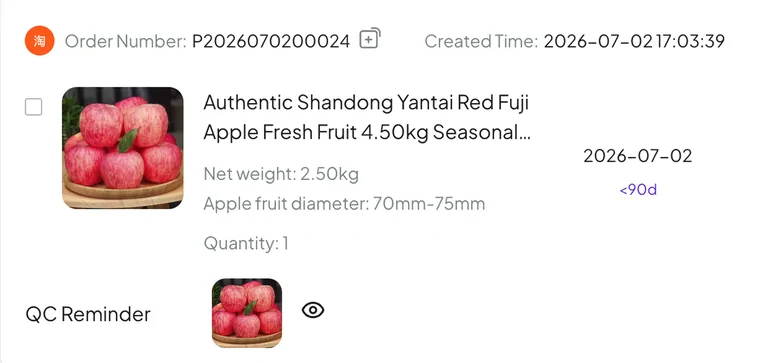
Ordering sequence checked against the official beginner guide, 14 October 2026.
Before the box leaves
A haul needs more than a product budget
Check the oldest item first
Items can arrive on different days. Waiting for one seller may use up the time available to return an earlier item. The return-budget tool compares each item's warehouse time with a further wait.
The tool models the policy wording captured on 4 August 2026, including a 120-hour window and once-per-30-days free-return wording. Check the current official policy; the result is not an eligibility decision.
Open the return-budget tool →- Shipping, costs & consolidationThink about the whole parcel, including dimensions.
- Sending your own purchasesForwarding has different responsibilities and terms.
- Help, exchange rates & FAQsFind the terms and official support routes.
- Community reports & updatesRead another buyer's experience in context.